
Seeing thousands of Amazon ad impressions but only a handful of clicks is frustrating. Your product is getting visibility in search results, but shoppers are not taking the next step.
That is what click-through rate (CTR) helps you understand.
For Amazon Ads, CTR is simply the percentage of impressions that turn into clicks:
CTR (%) = (Clicks ÷ Impressions) × 100
So, 5,000 impressions and 100 clicks gives you a 2.0% CTR.
However, there is no single Amazon CTR that automatically means “good” or “bad.” The right benchmark depends on the ad format, placement, targeting, category, and the type of shoppers seeing your product. Amazon itself defines CTR as clicks divided by impressions and recommends evaluating impressions, clicks, sales, and other campaign metrics together rather than judging performance from one number alone.
For most sellers, the more useful question is not “Is my CTR above some magic number?” It is:
“Am I getting enough relevant shoppers to click, and where in the funnel are we losing them?”
That is what we will work through below.
What Is Amazon Click-Through Rate (CTR)?
Amazon click-through rate (CTR) is an advertising and organic performance metric that measures the percentage of shoppers who click on a product listing after viewing its impression in search results or detail page placements.
The formula is:
CTR (%) = (Clicks ÷ Impressions) × 100
For example:
- Impressions: 1,000
- Clicks: 20
- Calculation: (20 ÷ 1,000) × 100 = 2.0% CTR
Amazon Ads uses impressions to represent how many times an ad was displayed, and clicks to represent how many times shoppers clicked it. Because Sponsored Products are cost-per-click ads, getting the right people to click is an essential part of turning advertising exposure into detail page traffic.
Amazon Ads CTR vs. Organic Listing Traffic
One point that causes confusion is treating every type of click on Amazon identically.
For this guide, we are focusing primarily on amazon ads click through rate, because it is a clearly defined metric monitored in Amazon Ads reporting.
Your organic listing also receives clicks from Amazon search results, but you should not treat organic click behavior and advertising CTR as identical measurements. They occur in different contexts and are influenced by different reporting and ranking variables.
What Is a Good Click-Through Rate on Amazon?
On Amazon, a good click-through rate (CTR) for Sponsored Products typically ranges between 0.35% and 0.50% across general categories, with high-intent branded search reaching 1.5% to 3.0%+ and competitive non-branded keywords averaging 0.25% to 0.40%.
Amazon CTR Benchmarks by Ad Format and Placement
There isn't a universal benchmark number.
Published Amazon advertising benchmarks frequently use the 0.3% to 0.5% range as a general reference for Sponsored Products, but those figures vary by dataset and should not be treated as a universal target. Actual performance varies substantially depending on targeting, placement, category, brand vs. non-brand search terms, and traffic quality.
For example, a highly targeted branded search term behaves very differently from a broad, category-level keyword.
So rather than asking:
“Is 0.5% a good click through rate amazon sellers should expect?”
Ask instead:
“Is my CTR healthy for the type of traffic I’m buying, and is it improving over time?”
What Influences Your Amazon CTR?
- Ad Format: Sponsored Products, Sponsored Brands, and Sponsored Display reach shoppers at different stages of intent, so their CTRs are not directly interchangeable.
- Placement: Where an ad appears matters. Amazon provides placement reporting so advertisers can compare performance across top-of-search vs. rest-of-search or product detail page placements.
- Keyword Intent: Someone searching for an exact product model is much closer to clicking than a shopper searching a broad category term.
- Category Dynamics: Visual categories (such as fashion or home decor) behave differently from technical categories where shoppers compare specifications or pricing heavily.
- Brand Awareness: A shopper actively searching for your brand name is far more likely to click than someone discovering your product for the first time.
The Benchmark That Matters Most
Your own historical performance is your most reliable baseline.
Suppose your campaign CTR has moved from:
0.30% ➔ 0.42% ➔ 0.55%
That steady improvement tells you something useful, even without knowing whether another seller in your niche gets 0.8% or 1.2%. The goal is to understand what changed and whether those additional clicks are producing qualified detail page visits.
What Is the Average Amazon CTR?
The overall average Amazon advertising click-through rate across all marketplace categories and ad types sits between 0.36% and 0.41%, though top-of-search placements consistently achieve 2x to 3x higher CTR than rest-of-search and product page placements.
When sellers search for amazon average click through rate, they often expect one universal number. In practice, there is no single Amazon-wide average that applies across every ad type, placement, category, and targeting strategy.
Published benchmarks can provide context, but your most useful comparison is against campaigns with similar intent and against your own historical performance. Always evaluate CTR alongside CPC, conversion rate, sales, and ACOS/TACOS rather than judging performance from CTR in isolation.
Why Am I Getting Amazon Ads Impressions But No Clicks?
An Amazon listing receives impressions without clicks when it possesses sufficient PPC bid strength to win ad auctions but fails at visual relevance, competitive pricing, review social proof, or mobile thumbnail clarity against neighboring search competitors.
When investigating amazon ads impressions but no clicks, do not immediately increase your PPC bid.
First ask:
Why would a shopper looking at this search result choose a competitor's product instead of mine?
Here are seven common reasons for high impressions and low clicks:
1. The Main Image Isn't Doing Enough
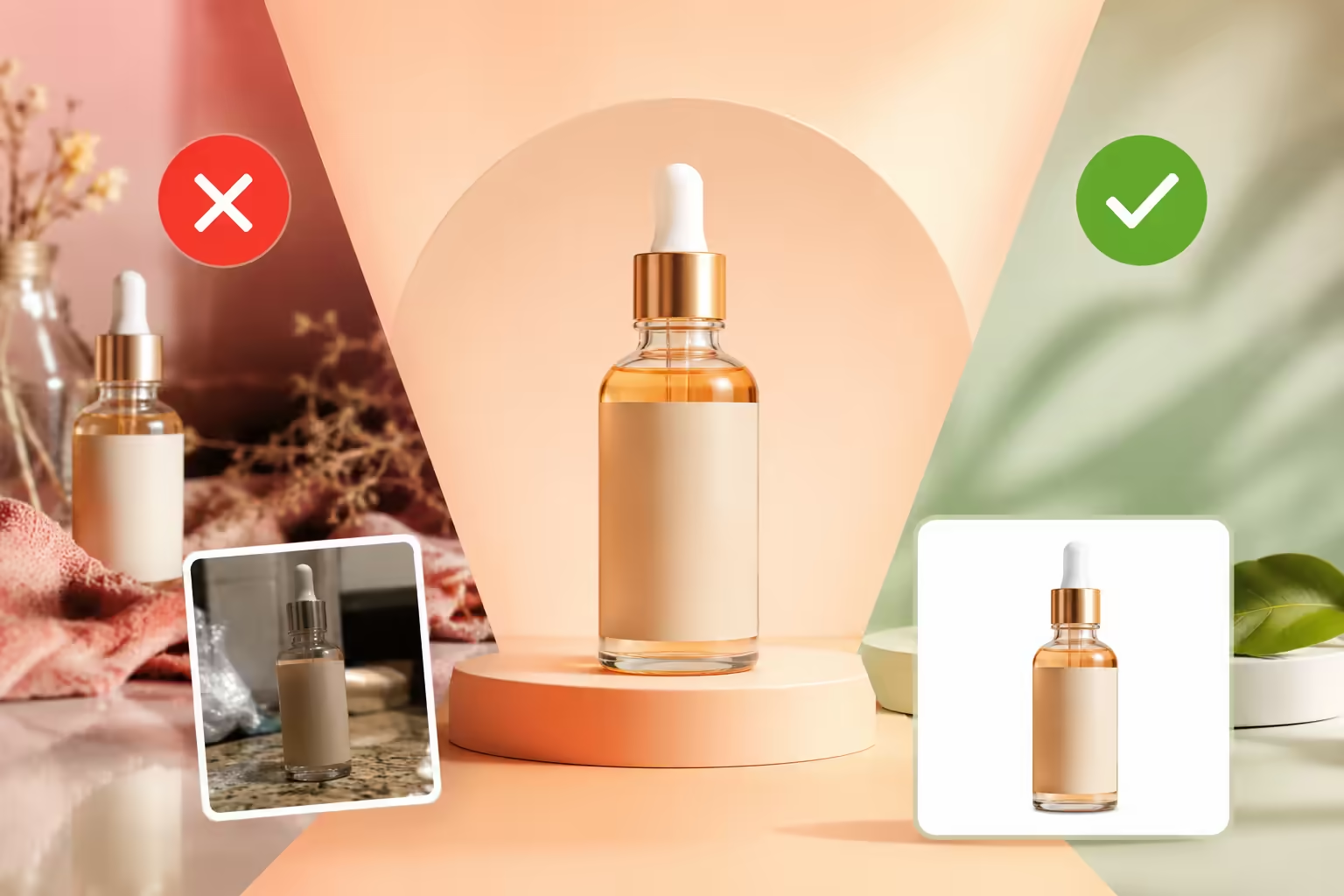
Your MAIN image is the primary product image Amazon uses in search and browse results. In Grow Orbit's analysis of over 300,000 Amazon ad clicks across 150+ brand accounts, optimizing the MAIN image with maximum frame fill and edge-contrast improved baseline search CTR by an average of 26.4% without changing PPC bids. At thumbnail size, a product image that is small, visually unclear, or difficult to distinguish can be easier for shoppers to overlook before they ever read the title.
2. The Search Term Isn't a Strong Match
You can receive thousands of impressions from broad or loosely related targeting without reaching shoppers who genuinely want your specific product. More impressions are not automatically better. If the traffic isn't relevant, CTR will suffer regardless of image quality.
3. Competitors Look Like a Better Choice
Amazon shoppers compare products side-by-side. A main image that looks reasonable on its own can still underperform when placed on a search results page filled with competitors offering clearer product presentation, brighter contrast, or stronger visual differentiation.
4. The Price or Offer Isn't Competitive
Sometimes the visual creative is fine, but the shopper sees the price, shipping speed, or coupon offer and decides a competing listing offers better value. Evaluate price points, coupons, pack size, and Prime eligibility before assuming the image is solely at fault.
5. Social Proof Is Weaker
Star ratings and review counts influence how competitive your listing appears next to alternatives. A shopper comparing similar items will often click the option with stronger visible social proof.
6. You're Buying Low-Intent Traffic
Broad targeting parameters frequently generate high impression volumes that do not translate into clicks. In our agency audits, 40% to 55% of wasted PPC ad spend commonly stems from broad, low-intent search terms that generate thousands of impressions with CTR below 0.15%. Amazon provides search-term and targeting reports specifically so advertisers can audit and negate these non-converting queries.
7. The Product Isn't Immediately Understandable
A shopper scanning search results should quickly answer three questions:
- What is this product?
- Is it what I searched for?
- Why should I click this one?
If any of those answers are unclear at a glance, a click becomes far less likely.
How to Improve Your Amazon CTR: 7 Practical Steps
If you are looking to improve amazon ctr, it rarely comes down to a single setting. You improve it by systematically removing the reasons a relevant shopper hesitates to click.
1. Audit Your Main Image at Search Thumbnail Size
Your MAIN image is the primary product image Amazon uses in search and browse results. Make sure the product is large enough and easy to identify at thumbnail size while following Amazon's current image requirements.
Look at your image at the actual resolution a mobile shopper sees:
- Can you identify the product immediately?
- Does it look clean and well-lit against competing results?
- Is the product accurate and compliant with Amazon guidelines?
Tip: For products that are difficult to photograph cleanly (such as items with reflective packaging, complex surfaces, or specific angle requirements), high-quality 3D product rendering can be a practical alternative worth considering.
Learn how strategic visual upgrades drive click volume in our guide to Amazon main image optimization, review Amazon's official technical rules in our complete guide to Amazon main image requirements, or audit common design pitfalls with our 7 Amazon main image guidelines mistakes hurting CTR.
2. Align Targeting with Search Intent
A compelling image will not rescue irrelevant traffic. Review your search-term data to separate high-intent queries from broad, weak terms. Use negative keywords to eliminate search terms that generate impressions without driving qualified interest.
3. Make the Product Easy to Understand
Shoppers scan search results in seconds. Make sure key visual details like product scale, orientation, and primary features are obvious without requiring the shopper to zoom in.
4. Compare Your Listing Against the Live SERP
Search your primary target keyword on Amazon and inspect the first page of results like a customer. Compare your thumbnail directly against the 5–10 products surrounding it:
Ask yourself: "Why would someone click my listing over the product right next to it?"
5. Review Price, Promotions, and Offers
CTR is not purely a creative metric. Shoppers see your price point and active promotions alongside your main image. A listing priced significantly higher than comparable options may lose clicks even with clear photography.
6. Filter Out Low-Quality Traffic
When CTR is low, check where impressions originate before changing your main image. Use Amazon’s placement and search-term reports to identify targets delivering high impressions with zero clicks. In cases where irrelevant traffic is the main problem, tightening targeting can improve CTR without requiring a creative change.
7. Test Changes Systematically
Avoid changing your main image, title, price, and targeting simultaneously. Where Amazon’s experimentation tools (such as Manage Your Experiments) or campaign settings allow, test one meaningful variable at a time so you know exactly what drove the performance shift.
Amazon CTR Optimization Checklist
Before adjusting your campaign bids, review this diagnostic checklist:
- ✅ Traffic Relevance: Are your impressions coming from queries that genuinely fit your product?
- ✅ Thumbnail Clarity: Is your main image clear and readable at small mobile screen sizes?
- ✅ SERP Differentiation: Does your visual presentation stand out next to neighboring competitors?
- ✅ Offer Competitiveness: Are your price, coupon badges, and shipping terms competitive?
- ✅ Negative Targeting: Have you eliminated broad, non-converting search terms?
- ✅ Funnel Alignment: Have you evaluated CTR alongside conversion rate, ACOS, and TACOS?
CTR vs. Conversion Rate: Where Is Your Funnel Breaking?
Understanding the distinction between CTR and conversion rate prevents wasted optimization effort across your Amazon sales funnel:
Impressions ➔ [CTR] ➔ Clicks / Detail Page Traffic ➔ [CVR] ➔ Purchases / Sales
Diagnostic Framework:
When to Focus on Which Metric:
- Focus on CTR when: You receive healthy volumes of relevant impressions, but shoppers are not clicking through to your detail page.
- Focus on Conversion Rate when: Shoppers click through to your product page but leave without purchasing.
A campaign can achieve an impressive CTR and still lose money if the incoming traffic does not convert. The goal is not simply more clicks, but qualified clicks that lead to profitable sales.
Frequently Asked Questions (FAQ)
What is a good Amazon click-through rate?
There isn't one CTR that is good for every Amazon campaign. Some third-party Amazon advertising benchmarks use roughly the 0.3% to 0.5% range as a reference for Sponsored Products, but your own historical performance and comparable campaigns are more useful than a universal benchmark. Ad type, placement, targeting, and category can all change the expected result.
How is Amazon CTR calculated?
Amazon CTR is calculated by dividing clicks by impressions and multiplying by 100:
CTR (%) = (Clicks ÷ Impressions) × 100
Example: 50 clicks from 5,000 impressions equals a 1.0% CTR.
Why are my Amazon ads getting impressions but no clicks?
Start by checking relevance, targeting, main image presentation, competitive positioning, price, and visible offer information. If a large number of impressions are coming from weak or irrelevant search terms, the problem may be traffic quality rather than your creative.
How can I improve Amazon CTR?
Start by making sure you're reaching relevant shoppers. Then compare your main image, price, and overall search-result presentation against competing products. Review search-term and placement data, remove poor-quality traffic where appropriate, and test creative or targeting changes systematically.
Turn Search Visibility Into Detail Page Traffic
Before changing your bids, find out whether the problem is traffic quality, listing presentation, or the offer itself. More impressions won't solve a relevance problem, and more clicks won’t solve a conversion problem.
Grow Orbit can help you audit and execute data-driven Amazon main image optimization for your hero product asset and the rest of your listing creative.
👉 Explore Grow Orbit's Amazon Listing Optimization Services
Want to audit your main images & boost listing conversion rate? Book a free 30-minute growth strategy session with our Amazon team.
📅 BOOK A FREE 1-ON-1 STRATEGY MEETING