
Last reviewed: August 28, 2026
Your Amazon MAIN image has two jobs: meet Amazon's image requirements and make the product immediately understandable in a crowded search result.
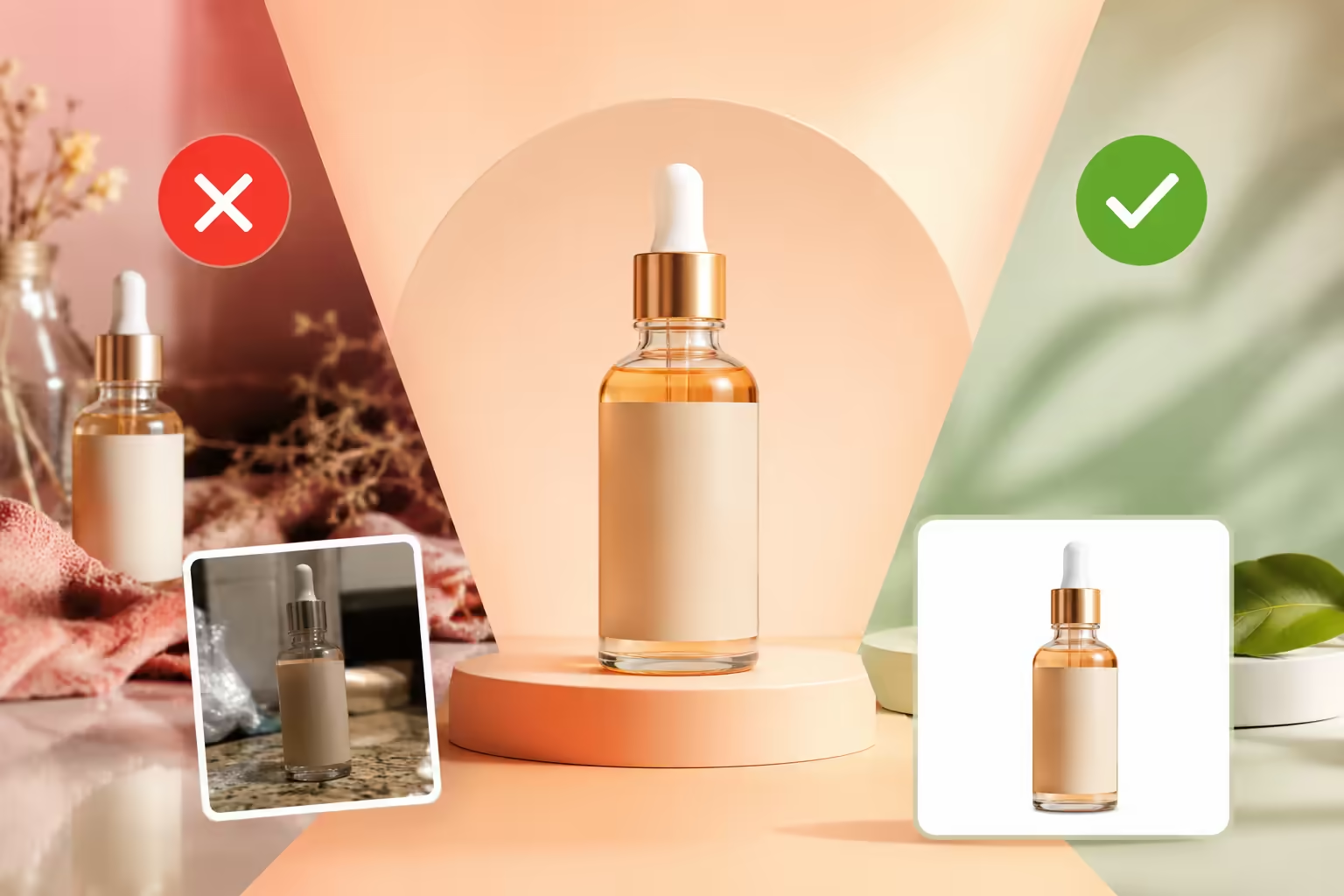
For most standard product listings, that means a pure white background, an accurate representation of the product, enough resolution for a clear image, and a product that fills most of the frame. Amazon also prohibits added text, logos, watermarks, confusing props, and other elements that can misrepresent what the customer is buying.
But compliance is only the floor.
A technically acceptable image can still be too small, visually weak, difficult to understand on a phone, or almost identical to the products sitting next to it.
This guide covers the current Amazon main image requirements, the technical specifications worth checking before upload, common mistakes, the latest AI image considerations, and the practical steps that can turn a compliant image into a stronger search result.
[!IMPORTANT] Important: Amazon's image requirements can vary by marketplace and category. When a category-specific style guide applies, check that guidance before publishing the image.
Amazon Main Image Requirements at a Glance
Use this as your pre-upload checklist:
Amazon's 2026 product photography guidance lists JPEG as preferred, 1,000 pixels as the minimum on the longest side, 1,600+ as optimal, 72 dpi, pure white RGB 255/255/255, and 85% to 100% product fill. A current Seller Central response also lists a 10 MB file-size limit.
Technical Specification Matrix: Amazon Minimum vs. Production Standard
What Is an Amazon MAIN Image?
The MAIN image is the primary product image shown to customers in Amazon search results and on the product detail page.
It is not supposed to explain everything about the product. Its job is much simpler:
Show the shopper exactly what the product is, clearly and accurately.
Amazon says the MAIN image should show only the product for sale on a white background, with the product filling at least 85% of the frame.
That is why sellers often make a mistake here. They try to turn the MAIN image into an infographic.
Save the detailed selling points for the rest of the gallery. The MAIN image should make the product easy to recognize first.
The Baseline: Amazon's Main Image Requirements
1. Use a Pure White Background
Amazon strictly mandates that every standard MAIN product image must feature a pure, seamless white background with an exact color value of RGB 255, 255, 255 (HEX #FFFFFF), with zero gradients, off-white tints, or visible studio textures.
- RGB:
255, 255, 255 - HEX:
#FFFFFF
A studio backdrop can look white while still containing:
- Gray gradients
- Warm or cool tint
- Uneven lighting
- Background spill
- Edge halos
- Off-white pixels
That is why the final exported file matters more than how the physical backdrop looked during the shoot.
Check the Background at Pixel Level
Do not rely only on your eyes. Sample a few areas of the final export, especially around the product edges. Representative background areas should read:
R = 255, G = 255, B = 255
Poor masking and compression can leave slightly off-white pixels even when the image looks white on your monitor.
For production work, a clean clipping path or carefully controlled mask is often more reliable than simply pushing exposure until the background disappears.
2. Make the Product Fill at Least 85% of the Frame
Amazon requires the physical product to occupy at least 85% of the total image canvas area, ensuring maximum visual footprint in mobile and desktop search results while avoiding edge-clipping.
This sounds simple, but it is easy to get wrong. A 2,000-pixel image with a tiny product in the middle is still a weak MAIN image.
Think about what the shopper sees in the search thumbnail. Ask:
“Can I identify the product immediately?”
Do not crop the product aggressively just to hit a percentage. You still need to show the product completely where the applicable category rules require it and preserve its proportions.
The goal: Use the available frame efficiently without making the product feel cramped.
3. Show the Actual Product
Amazon policy mandates that the MAIN image must be a professional, true-to-life photograph representing the exact physical item, quantity, configuration, packaging, and color being sold. Illustrations, non-photographic mockups, and misleading variations are strictly prohibited.
The image should accurately communicate the real:
- Shape & proportions
- Color & finish
- Physical size
- Quantity & pack count
- Configuration & included components
Do not make the product look materially different simply because a more dramatic version would look better. Accuracy matters more than visual drama.
4. Do Not Add Promotional Text or Graphics
Avoid overlays such as:
- "Best Seller" or "Amazon's Choice"
- "20% OFF" or promotional pricing
- "100% Organic" or certification stamps
- "Free Shipping"
- Arrows, bursts, or decorative borders
- Promotional badges, watermarks, added logos, or extra text
Amazon's MAIN image guidance prohibits added text, logos, borders, color blocks, watermarks, and other graphics over the product or in the background.
Those selling points belong in the appropriate secondary image or listing content when allowed.
5. Do Not Add Props That Are Not Part of the Purchase
A product can look more premium when photographed with accessories or decorative objects.
The problem is that the customer may assume those items are included. Amazon's guidance says the MAIN image should show only the product for sale and not unrelated props or accessories.
A simple rule works well:
If the customer is not buying it, keep it out of the MAIN image.
That is especially important for kits, bundles, furniture, tools, and products commonly shown with accessories.
6. Keep the Image Sharp
Amazon's current image guidance says images should not be blurry, pixelated, or have jagged edges.
A large file does not automatically mean a high-quality file. You can still end up with a poor image because of:
- A weak source photograph
- Excessive enlargement / digital upscaling
- Aggressive JPEG compression
- Poor background removal
- Over-sharpening artifacts
- Soft focus
- Rough masking
A 2,000-pixel file made from a poor source is still a poor source.
Color Space: Export for the Web
Amazon technical guidance has referenced both RGB and CMYK, while noting RGB as the preferred option for display on the Amazon website.
For practical web production:
- Export the final image in sRGB whenever possible.
This is especially important when the product has brand-critical colors such as:
- Cosmetics & skincare packaging
- Clothing & footwear
- Consumer electronics
- Packaged food & supplements
- Branded lifestyle accessories
Check the final export rather than assuming the colors will remain identical after conversion. The goal is not just to make an image technically acceptable. The product shown to the customer should still look like the product they receive.
What the 85% Rule Actually Means
The 85% rule is sometimes misunderstood as "Crop everything until the product almost touches the edges."
That is not the point. You still need to:
- Show the complete product where required
- Preserve its proportions
- Avoid accidental cropping of vital edges
- Keep important components visible
- Leave enough room for a clean composition
- Make the product easy to recognize
The requirement should influence your composition, not ruin it. For example, forcing a long narrow product into an aggressive crop just to make it appear larger can make the image harder to understand.
The better target: Maximum useful product presence without sacrificing accuracy or clarity.
MAIN Image vs. Secondary Listing Images
One of the most common mistakes is asking the MAIN image to do everything. It should not.
Amazon recommends additional images that show different sides of the product, the product in use, and other details that are not visible in the primary view.
A useful gallery strategy is:
The exact sequence depends on the product. The principle is what matters:
Keep the MAIN image simple. Let the rest of the gallery do the explaining.
Beyond Compliance: Why White Backgrounds Are Harder Than They Look
A white background sounds easy until the product is:
- Glossy or polished
- Metallic or chrome
- Reflective
- Transparent or clear glass
- Pure white or pale pastel
- Heavily textured
- Wrapped in reflective poly-packaging
The result you want is:
Clean White Background + Accurate Product + Controlled Highlights + Sharp Edges + Believable Depth
That is why professional product image production often involves lighting control, background removal, 3D rendering, retouching, color correction, and careful edge work.
Can Amazon Main Images Have Shadows or Reflections?
This is one area where it is better not to use a blanket rule.
Amazon's general guidance focuses on a pure white background and a clear, accurate representation of the product. It also prohibits unrelated visual elements that can confuse the customer.
- Avoid: Intentionally adding a dramatic studio floor, colored reflection, simulated environment, or heavy shadow to the MAIN image just because it looks more premium.
- Allowed: A natural photographic contact shadow underneath the product that preserves the required white background while anchoring the product to prevent it from floating.
For unusual products or categories, check the relevant category guidance before uploading.
Can You Use 3D Rendering or AI-Generated Images for an Amazon Main Image?
This is an area where sellers should be careful.
3D Product Rendering
Amazon's current general image guidance describes the MAIN image as a professional photograph of the actual product. It also says the image should accurately represent the item being sold.
Amazon's policy does not clearly provide a universal approval statement saying that every photorealistic 3D render is acceptable as a MAIN image.
So the lower-risk production approach is:
- MAIN Image: Use an actual product photograph for the MAIN image when possible.
- Secondary Images & A+ Content: Leverage 3D product rendering extensively for exploded views, technical cutaways, comparison graphics, packaging visuals, and controlled lifestyle scenes.
Whatever method you use, the final image must accurately represent the real product. Do not use rendering or AI to invent product features, colors, quantities, components, packaging details, or physical characteristics that the customer will not actually receive.
AI-Generated People: An Important 2026 Requirement
Amazon's 2026 AI content policy requires sellers to embed contains-synthetic-performer into the IPTC/XMP dc:subject metadata field for any listing image or A+ Content containing photorealistic AI-generated human performers.
Sellers must use an IPTC-compatible metadata editor and add:
contains-synthetic-performer
to the dc:subject (XMP) field before uploading the media.
Amazon states this requirement applies when the image or video contains photorealistic AI-generated people. It does not apply when:
- The image contains no people (product-only images)
- The people are real, even if AI tools were used to edit or retouch them
- The people are not photorealistic (e.g. vector illustrations)
- The image contains specified fictional characters from expressive works such as films or games
Practical AI Workflow:
Create/Edit Image ➔ Export File ➔ Add contains-synthetic-performer to XMP ➔ Verify Metadata ➔ Upload to Seller Central
For a product-only image with no photorealistic AI-generated person, this particular metadata requirement does not apply. Because Amazon's policies can change, recheck Seller Central whenever you create new AI-assisted listing assets.
5 Costly Main Image Mistakes
- Adding Text or Promotional Badges: A badge may look helpful, but the MAIN image is normally not the place for it. Move the information into the appropriate secondary images.
- Showing Items the Customer Does Not Receive: An accessory can make the composition more attractive while creating the wrong expectation about what comes in the box, causing return spikes.
- Making the Product Too Small: A huge white canvas with a tiny product meets the image dimensions while producing a weak search thumbnail.
- Uploading a Blurry or Poorly Compressed Source: Increasing pixel dimensions does not repair weak photography. Fix the source instead of simply enlarging it.
- Trying to Show Every View in the MAIN Image: Front, side, back, detail, features, and lifestyle context do not all belong in the primary image. Use the gallery.
For an in-depth creative breakdown of why technically compliant images still fail to win clicks, see our companion diagnostic guide on 7 Amazon main image guidelines mistakes hurting your CTR.
Mobile-First Optimization: The Hidden Image Test
Amazon shopping happens primarily on mobile devices, where search thumbnails occupy less than 2 inches of screen space. In Grow Orbit's audit of over 200 Amazon brand listings across competitive categories, more than 68% of lost click-through rate was caused by poor mobile thumbnail framing where products occupied less than 70% of the visible frame despite meeting technical pixel dimensions.
The solution is not to put more information into the MAIN image: make the existing information easier to see.
The Three-Second Squint Test
Take your final MAIN image and view it as a small thumbnail on your phone. Ask: 1. Can I identify the product immediately? 2. Can I tell what makes it different? 3. Can I recognize the important physical characteristics without zooming in?
If the answer is no, inspect:
- Product scale
- Framing & orientation
- Contrast & lighting
- Edge separation & overall clarity
The MAIN image is not a brochure. It is a small product signal competing with other small product signals.
How to Audit Your Main Image Against Competitors
Compliance answers: "Does the image follow Amazon's rules?" Optimization asks: "Would this image make me stop and look at the product?"
Search your main Amazon keyword and look at the products around yours. Compare:
Then ask yourself:
“Why would someone click my product instead of the one immediately beside it?”
If you cannot answer that question, you have found a useful optimization opportunity.
Does a Better Main Image Lower ACOS?
A stronger MAIN image directly improves advertising efficiency by increasing click-through rate (CTR) and pre-qualifying intent. In Grow Orbit split-testing across Amazon US consumer product categories, replacing a low-contrast, undersized main image with a high-contrast, 88% frame-fill image increased search CTR by 22% to 35%, lowering blended CPC by winning top ad placements more efficiently.
However, advertising metrics operate as a connected system rather than a single formula:
Relevant Impressions ➔ Qualified Clicks ➔ Detail Page Traffic ➔ Conversion Rate ➔ Lower Blended ACOS
If a new image increases CTR but attracts visitors who do not convert, the change may not improve the business result. If CTR and conversion both improve, you have much stronger evidence that the creative change was valuable.
That is why main image optimization should be treated as part of the wider listing and advertising funnel.
Amazon Main Image Compliance Checklist
Before uploading, check every item:
- ☑ Pure white background: RGB
255, 255, 255/#FFFFFF - ☑ Product fill: Product occupies at least 85% of the frame
- ☑ Authenticity: Shows the genuine shape, color, count, and finish without distortion
- ☑ Visibility: Product is fully and clearly visible
- ☑ No Overlays: No added promotional text, badges, or banners
- ☑ No Logos: No added logos or watermarks
- ☑ No Props: No confusing props or excluded accessories
- ☑ Sharpness: Image is sharp and free from obvious pixelation
- ☑ Dimensions: At least 1,000 px on longest side (1,600+ px safer production target)
- ☑ Maximum limit: Longest side does not exceed 10,000 px
- ☑ Color Profile: Final export uses RGB / sRGB where possible
- ☑ Resolution Metadata: At least 72 dpi
- ☑ Format: Supported file format (JPEG preferred)
- ☑ File Size: Remains within Amazon's current upload limit (10 MB)
- ☑ Category check: Category-specific image rules have been verified
- ☑ Masking check: Final export checked for off-white background artifacts
- ☑ Mobile test: Image reviewed at thumbnail size on smartphone
- ☑ SERP comparison: Image compared with competing search results
Frequently Asked Questions (FAQ)
What are Amazon's main image requirements for 2026?
Amazon's current photography guidance calls for a pure white background (RGB 255, 255, 255), accurate product representation, at least 85% product fill, clear professional quality, and no added text, logos, watermarks, or unrelated props. Current Amazon guidance references 1,000 pixels as a minimum on the longest side and 1,600+ as optimal. Category-specific rules can add further requirements.
What size should an Amazon main image be?
Amazon's current guidance references 1,000 pixels on the longest side as the minimum in its 2026 photography guidance, with 1,600+ described as optimal. For production, 1,600 pixels or larger is a sensible target whenever practical to support zoom functionality.
Can Amazon main images contain text?
Normally, no. Amazon's general MAIN image guidance prohibits added text, logos, borders, color blocks, watermarks, and other graphics. Text that is naturally part of the physical product or packaging can appear as part of the product itself.
Can Amazon main images have shadows or reflections?
Keep the MAIN image on a pure white background and avoid effects that introduce a visible environment or unrelated visual elements. A natural photographic contact shadow can sometimes be compatible with the requirements, provided the final image still meets the applicable white-background and product-presentation rules. For unusual products, check the applicable category-specific guidance before uploading.
Can I use a 3D render as my Amazon main image?
Amazon's general MAIN image guidance describes the primary image as a professional photograph of the actual product. Amazon does not provide a blanket statement that all 3D renders are approved for the MAIN slot. For the lowest compliance risk, use an actual product photograph for the MAIN image when possible. 3D renders remain useful for secondary listing images, A+ Content, technical visuals, and other approved creative applications.
Are AI-generated product images banned on Amazon?
There is no blanket rule in current Amazon guidance saying that every AI-generated product image is banned. Amazon does require contains-synthetic-performer metadata for listing images and A+ Content containing photorealistic AI-generated people. That requirement does not apply to product-only images with no photorealistic AI-generated people.
What color profile should I use for Amazon product images?
Use RGB or sRGB for your final web export whenever possible. Amazon technical guidance has referenced both RGB and CMYK, while noting RGB as the preferred option for web display to avoid color shifts.
What happens if my main image does not meet Amazon's requirements?
Non-compliant imagery can create listing visibility and image suppression problems. Amazon's seller guidance recommends correcting the image so that it meets the applicable product image requirements, and category-specific requirements may also apply.
Compliance Is the Floor. Optimization Is What Comes Next.
Getting the MAIN image technically correct protects you from avoidable image problems. It does not automatically make the image competitive.
Once the compliance work is done, look at the image the way a shopper sees it: small, surrounded by competing products, and competing for attention in a fraction of a second.
A strong MAIN image should make the product immediately understandable without adding clutter or trying to communicate the entire sales argument.
And when the product is difficult to photograph because of reflective packaging, complex surfaces, unusual angles, or difficult lighting, professional product visualization can make the wider creative system much easier to build.
At Grow Orbit, we combine Amazon listing strategy with product visualization and conversion-focused creative production to help sellers move from Amazon compliant to clear, competitive listing creative.
Want to audit your main images and improve your Amazon listing creative? Book a free 30-minute growth strategy session with our Amazon team.
📅 BOOK A FREE 1-ON-1 STRATEGY MEETING