
Selling a dietary supplement on Amazon requires more than an attractive bottle and a list of ingredients. Shoppers may want to know how much of each ingredient they receive per serving, what distinguishes the formula, how to use the product, and whether quality claims are backed by evidence.
A+ Content gives brands more room to answer those questions through product imagery, ingredient explanations, and comparison layouts. For brands searching for supplement A Plus content examples, the most useful examples do more than make a bottle look premium. They help customers understand what they are buying.
Supplement listings also need careful claim review. A graphic showing a product beside laboratory equipment, medical imagery, or a clinical-looking diagram can imply scientific validation even if its headline makes no explicit promise.
Here are five practical supplement A+ layout examples for nootropic, vitamin, herbal, and wellness brands, with guidance on how to design each section.
What Makes Good Supplement A+ Content?
Good supplement A+ Content answers questions that remain after customers view the product title, bullet points, and image gallery. It should explain the formula, clarify serving information, distinguish the product from related options, and make important label details easier to understand.
Amazon's A+ Content guide lists up to five modules from 14 types for Basic A+, compared with seven modules from 19 types for Premium A+. Premium adds options such as video, interactive hotspots, larger images, carousels, and Q&A modules.
The layouts below are a design framework, not a mandatory Amazon sequence. Select the sections that answer real customer questions instead of filling every available module.
1. Product Hero Banner: Make the Formula Easy to Understand
The hero section should establish the product identity and communicate its main point of difference.
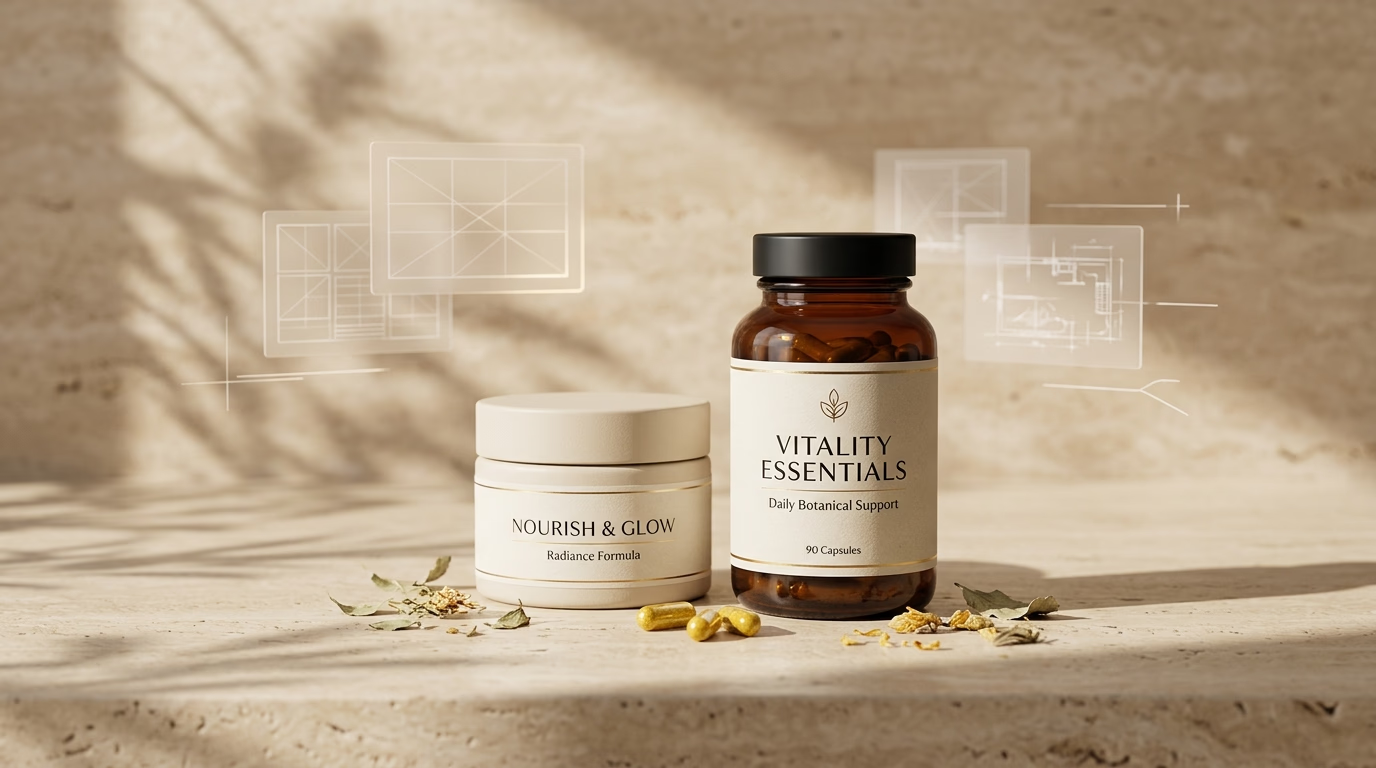
Consider a magnesium supplement with a clearly defined form and serving amount. A useful hero layout could show the actual bottle, a concise product descriptor, and one relevant fact about the formula. The background should support the product rather than compete with it.
For a nootropic formula, the design might emphasize ingredient composition, serving information, or a specific feature of the formulation. A vitamin brand may benefit from a clean explanation of the format or quantity per container.
A strong hero section usually includes:
- A clear photograph or accurate 3D render of the product.
- One concise headline.
- A short supporting statement where it adds useful information.
- Consistent typography, lighting, and brand colors.
Avoid surrounding the bottle with generic laboratory equipment simply to make the design appear scientific. The visual should reflect the actual product and the evidence behind the message.
When should you use 3D bottle rendering?
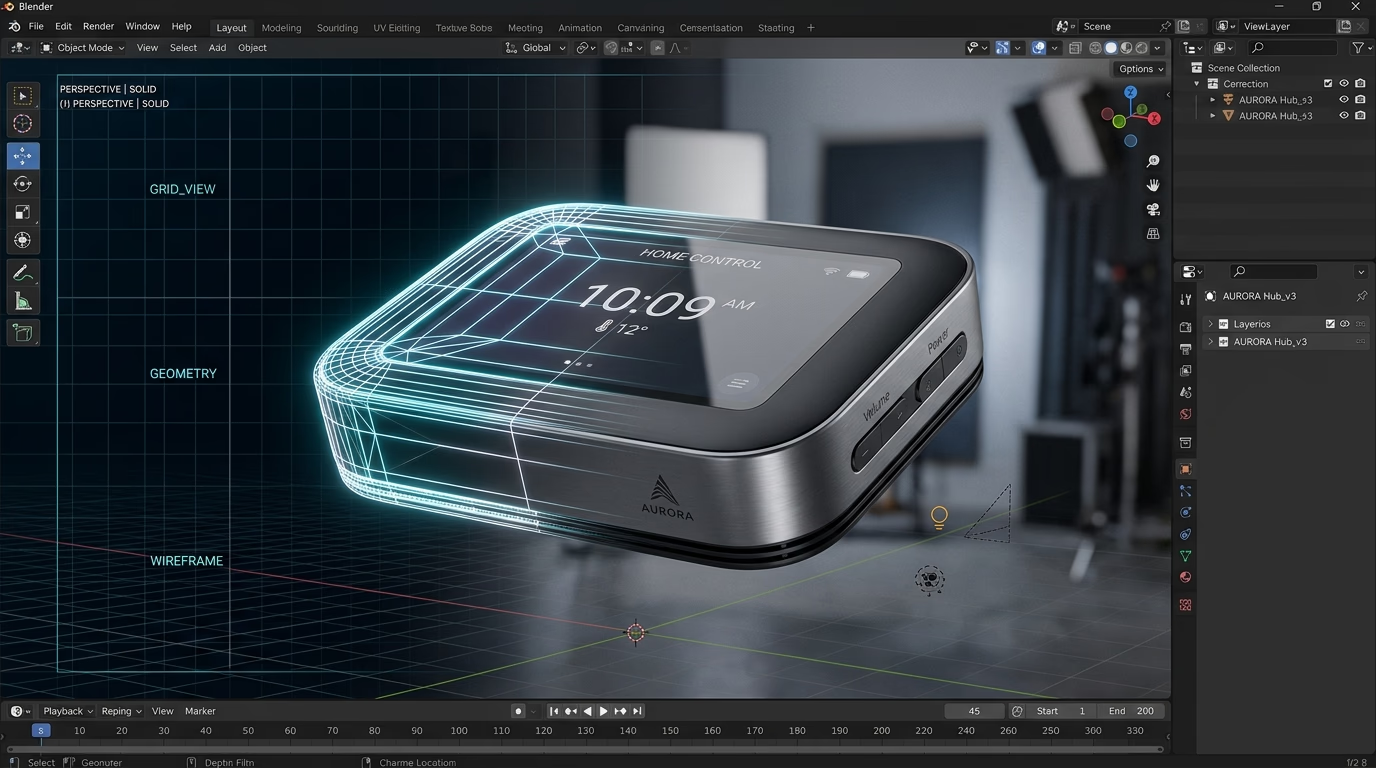
3D bottle rendering for Amazon is useful when reflective amber glass, glossy plastic, complex packaging, or multiple product variations make consistent photography difficult.
A controlled 3D workflow lets designers manage reflections, shadows, camera angles, and composition. It can also make it easier to create consistent views for several products in the same range.
However, the render must accurately represent the real packaging, including its label, cap, shape, and visible details. Rendering should improve presentation, not invent product features.
Amazon's A+ comparison guide lists reference image sizes of 970 × 300 pixels for Basic A+ and 1464 × 600 pixels for Premium A+. Individual templates can have different requirements, so confirm the selected module specifications in A+ Content Manager before exporting assets.
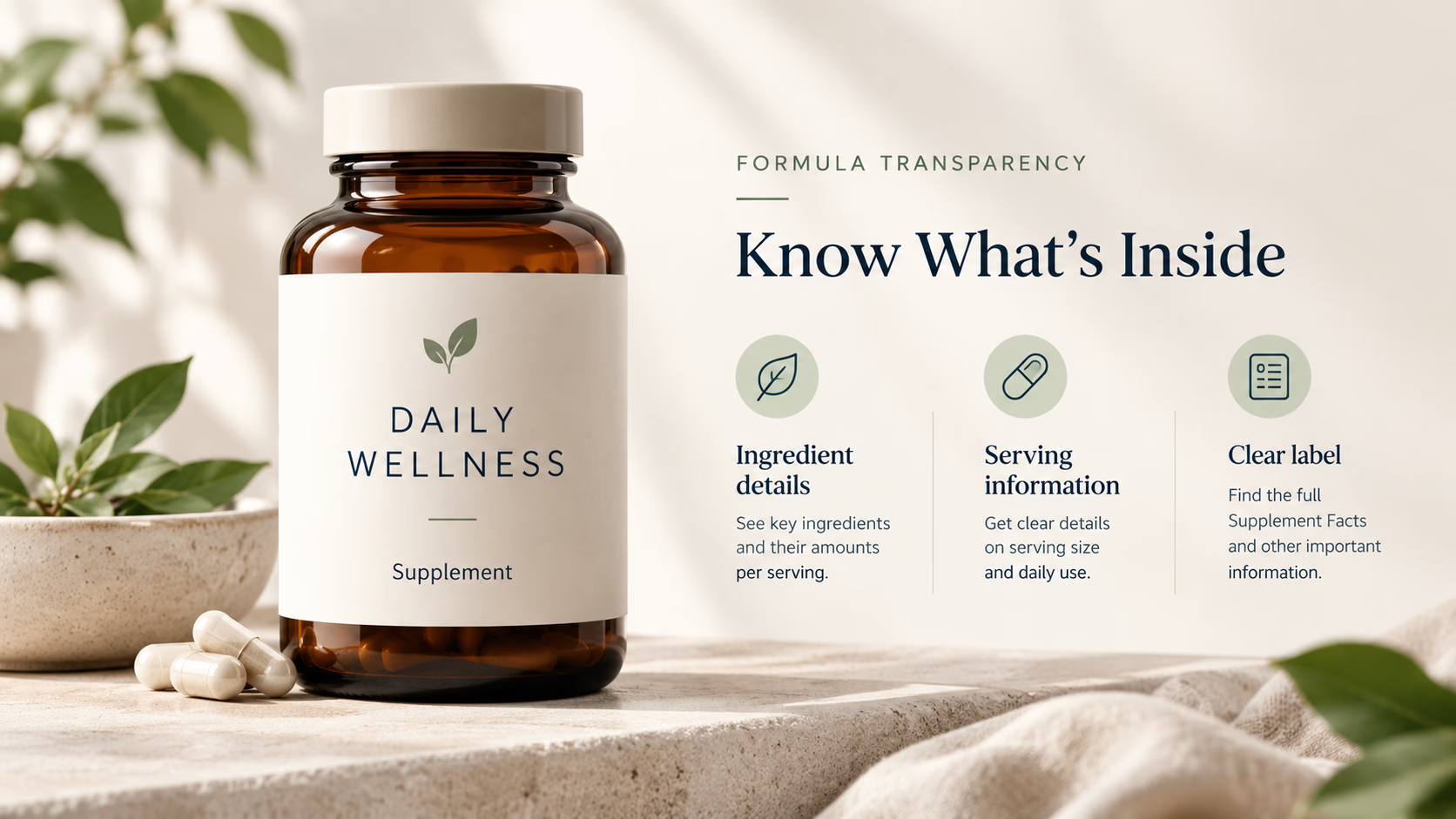
Note: Illustrative design mockup featuring hypothetical dummy brands for example demonstration only.
2. Ingredient Transparency Grid: Show What Is Actually in the Formula
Supplement customers often need more detail than a front-label ingredient highlight. A three-card grid can organize the information without turning the page into a dense technical document.
For example, a brand could use three cards covering the principal ingredient, serving information, and documented quality details.
Ingredient precision matters. If a formula contains a branded ingredient such as KSM-66 or Cognizin, use the name only when that ingredient is actually present and the brand has the right to reference it.
Amounts require equal care. If the finished supplement contains 500 mg of a particular extract, do not promote it as 10,000 mg of raw herb equivalent in a way that conflicts with the actual Supplement Facts panel. State the ingredient and the relevant amount clearly.
How should you use testing and certification badges?
Badges such as "third-party tested," "non-GMO," "vegan," and "cGMP" can communicate useful information, but each makes a claim of its own.
Before adding a badge, establish what it represents and what documentation supports it. Use the exact certification or testing description that applies to the product. Do not imply that the FDA has approved a supplement simply because it is manufactured under applicable requirements.
For US listings, Amazon's dietary supplements policy sets out requirements for product information, images, claims, testing, and documentation. Use those requirements as the starting point for the design review.
In Amazon A+ Content Manager, this layout typically maps to the Standard Three Images & Text module (requiring three 300 × 300 pixel image cards) or the Premium Three Module on Premium A+.
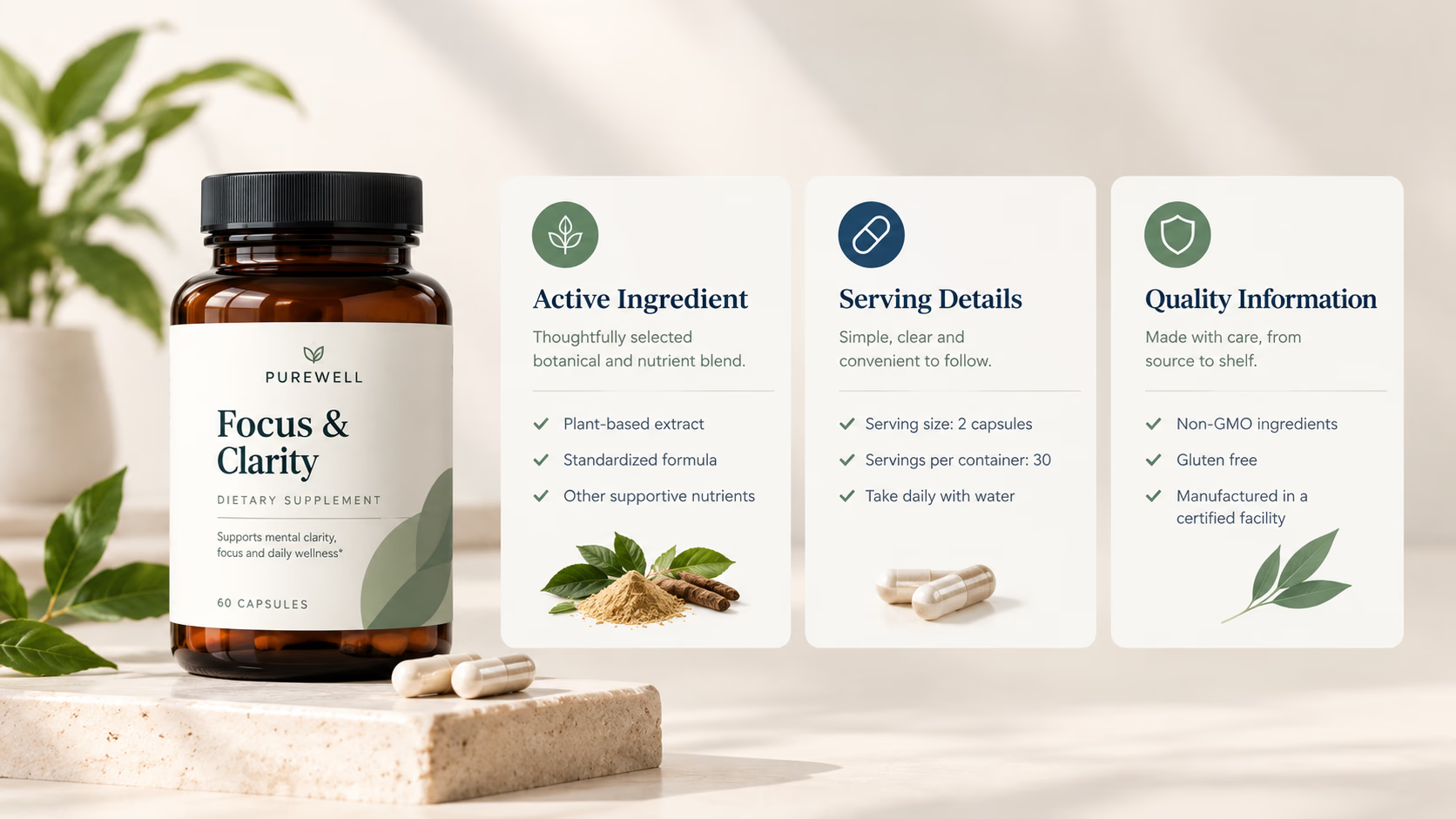
Note: Illustrative design mockup featuring hypothetical dummy brands for example demonstration only.
3. Formula and Usage Visual: Explain the Routine Clearly
A mechanism-of-action graphic may seem appropriate for nootropic and wellness products. The risk is that arrows depicting absorption, brain activity, or a physiological pathway can imply that a finished supplement produces a specific effect.
A formula and usage graphic is often a more useful starting point.
A daily supplement could show its serving format, the directions stated on its label, and the amounts of significant ingredients. A product with multiple components might use a simple diagram to identify each ingredient and explain its role in the formula without promising a particular outcome.
If a mechanism-of-action illustration is necessary, have the underlying scientific claim reviewed before making it part of the design. Evidence about an isolated ingredient does not automatically establish the effect of the finished product.
The FTC Health Products Compliance Guidance explains that marketing claims can be conveyed through imagery and the overall presentation, not just headlines. A diagram can imply a benefit even when the caption uses cautious language.
Design tip: Use a small number of clearly labeled steps. If a shopper needs to zoom in repeatedly to understand the graphic, simplify it. For layout execution, designers commonly build this using the Standard Four Image & Text module (220 × 220 pixel asset blocks) or a Standard Single Left Image & Highlights section (300 × 300 pixel graphic beside structured copy).
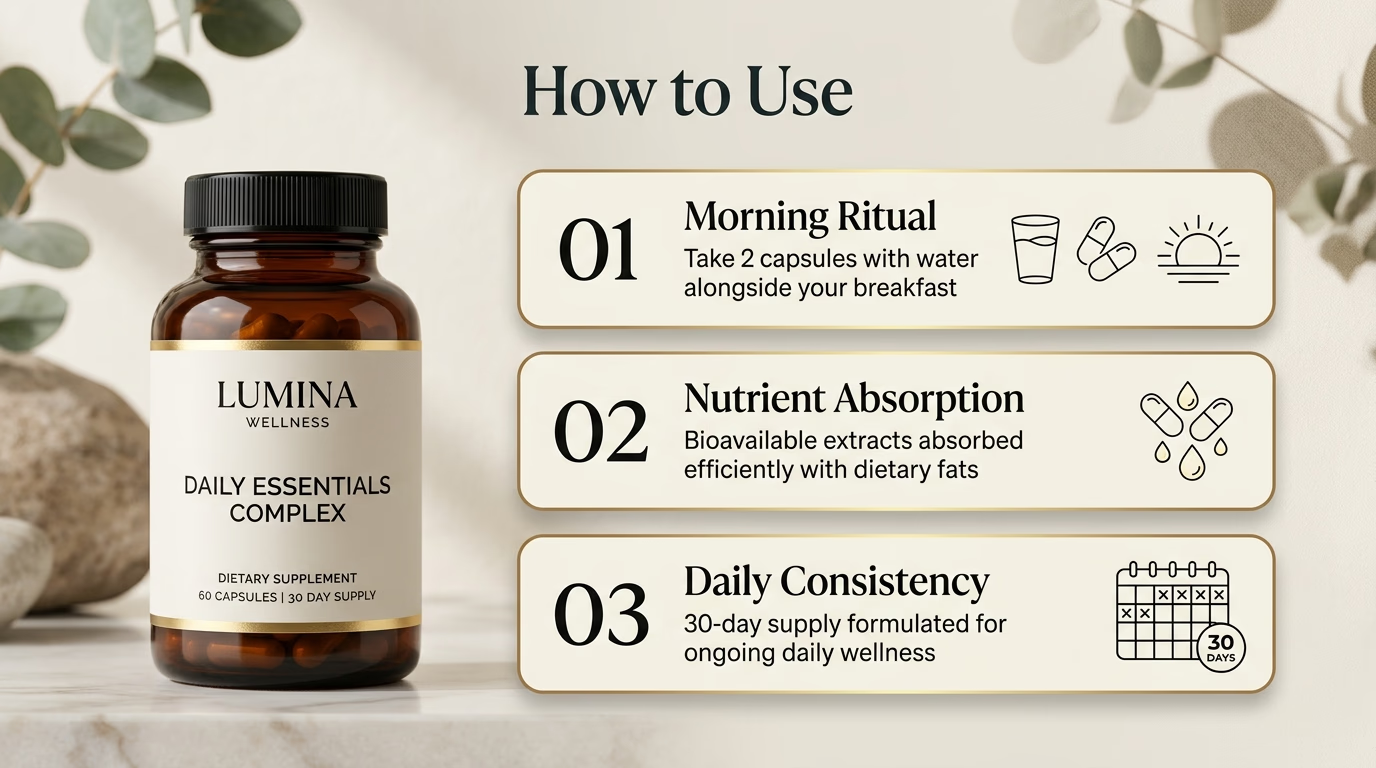
Note: Illustrative design mockup featuring hypothetical dummy brands for example demonstration only.
4. Supplement Facts Close-Up: Make the Numbers Readable
A polished bottle image loses value when customers cannot read the label. This matters especially for supplements with several active ingredients, detailed serving instructions, or multiple warnings.
A useful information panel can direct attention to:
- Serving size and servings per container.
- Active ingredients and their stated amounts.
- Other ingredients where relevant.
- Directions, cautions, and warnings that affect the purchase decision.
Use the real product label as the source of truth. Do not replace an ingredient amount with a more impressive number or summarize a proprietary blend in a way that misrepresents its contents.
Amazon's US dietary supplements policy requires product images to show the complete English-language product label, including the Supplement Facts or Nutrition Facts panel, any continued panels, ingredient list, instructions, warnings, and other specified packaging information.
An A+ graphic is supplementary. It does not replace the required images of the actual product label in the listing's image gallery.
Check the mobile view
A complete label may be too dense to read when placed inside a wide promotional graphic. Keep the original label accurate, then use adjacent text or a separate information panel to highlight a few important facts.
This layout corresponds to Amazon's Standard Single Image & Highlights module (300 × 300 pixel highlight image) or a Standard Header & Image module (970 × 600 pixels) for expansive desktop panels.
Make sure every highlighted number stays connected to its ingredient name and serving basis. Preview the layout on mobile and desktop before publishing.
5. Product Comparison Matrix: Help Customers Choose Within Your Range
Brands with multiple supplements can use a comparison chart to explain which product fits which need. This is particularly useful for different serving counts, ingredient combinations, or related products within the same brand.
Imagine a wellness brand selling a daily formula, a single-ingredient supplement, and a larger-count version. The chart could compare relevant attributes without making a shopper navigate between several detail pages.
This is an illustrative framework, not a recommendation for a specific formulation. Populate the table only with verified information about the actual products.
Amazon allows A+ comparison charts for products within the same brand, subject to its current guidelines. Do not use the chart to compare against competitor products or make unsupported superiority claims.
A useful comparison makes the differences between products obvious. Repeating the same benefits in every column adds visual weight without helping the decision. In Amazon Seller Central, use the Standard Comparison Table module (allowing up to 5 ASINs with 150 × 300 pixel column product headers and up to 10 comparison metrics) or the Premium Comparison Table for enriched metrics. These practical supplement A+ Content examples demonstrate how a comparison chart directs buyers to the right SKU in your catalog without confusing them.
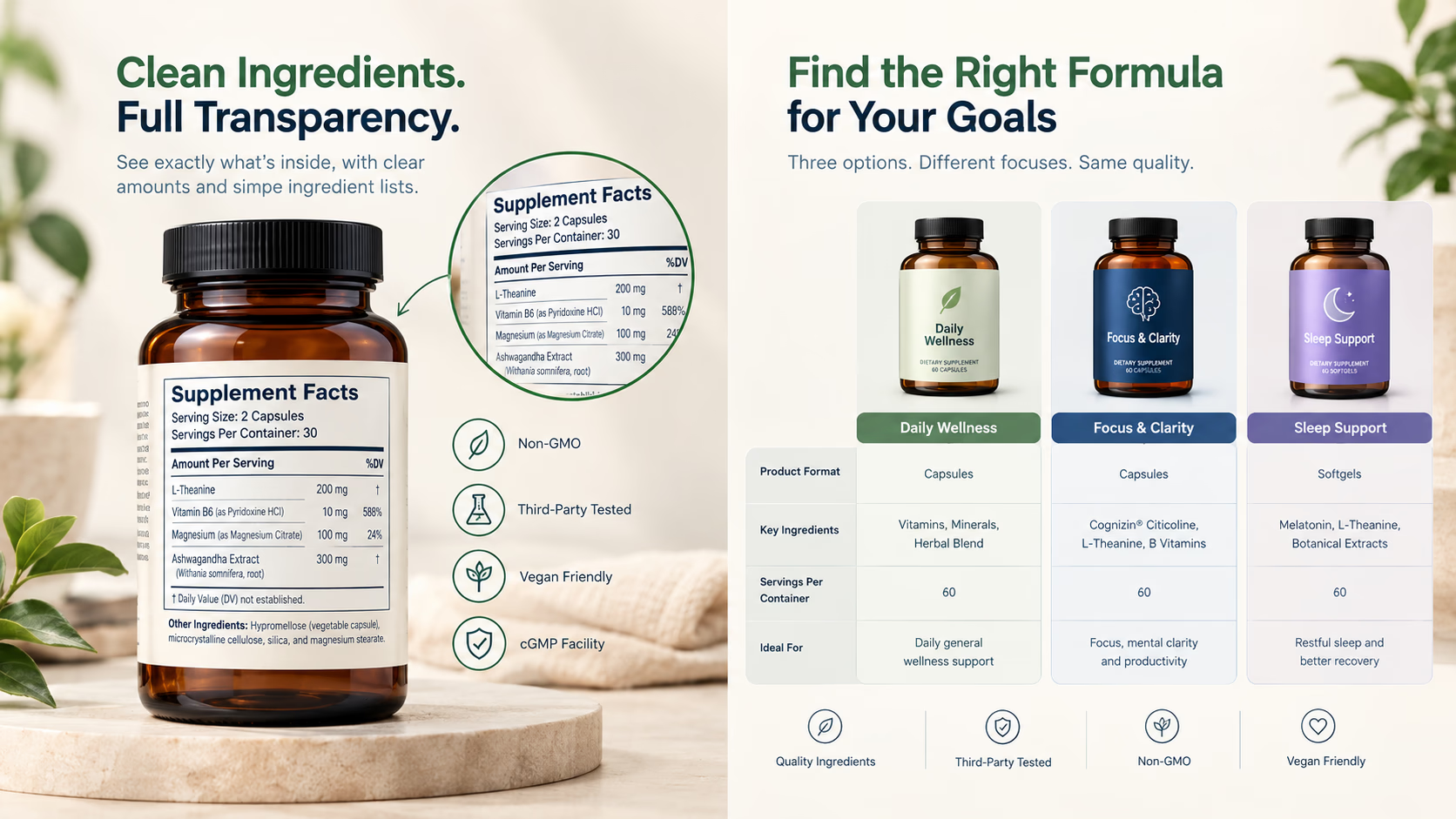
Note: Illustrative design mockup featuring hypothetical dummy brands for example demonstration only.
Sample Supplement Listing Copy: Risky vs. Clearer Wording
The examples below illustrate how to replace vague, exaggerated, or disease-related statements with precise product information. The suggested wording is not automatic legal approval. The final copy still needs product-specific review.
A wording change alone cannot make an unsupported benefit claim acceptable. Images, labels, diagrams, and surrounding copy all contribute to the impression customers take away.
Should You Use Premium A+ for Supplement Listings?
Basic A+ may be enough when the main challenge is explaining the formula and presenting serving information clearly. Premium A+ can be worth exploring when a richer format genuinely improves the explanation.
Video can demonstrate packaging or product use. Hotspots may organize a complicated formula diagram, while carousels can present several educational panels. None of these features guarantees a conversion increase.
Start with the customer question you need to answer. Then choose the simplest module that addresses it. For a closer look at the difference in features and investment, read our Amazon Premium A+ Content vs. Standard A+ guide.
For broader guidance on module selection, visual hierarchy, and content production, see our Amazon A+ Content design guide.
Want to rebuild your supplement listings with compliant, high-converting 3D bottle renders and clinical visual systems? Book a zero-pressure review with our creative team.
📅 BOOK A FREE 1-ON-1 SUPPLEMENT A+ AUDITSupplement A+ Compliance: What to Check Before Publishing
Amazon's updated ingredient-weight and raw-material-equivalent enforcement deadline was March 31, 2026. That date has passed.
The current Amazon dietary supplements policy prohibits ingredient-weight claims that conflict with the Supplement Facts panel. Examples include inflating an extract amount into a raw-material equivalent, listing a weight without naming the ingredient, or omitting the portion basis such as per serving or per capsule.
Amazon's Seller Forums enforcement response warns that noncompliant ASINs may be removed. The public policy does not document the precise technical method used to detect every mismatch, so reports of AI screening should not be treated as a complete description of Amazon's enforcement system.
For practical purposes, audit titles, bullet points, descriptions, and product images against the actual label. A mismatch in a graphic is still a problem, even when the Supplement Facts panel elsewhere in the listing is correct.
Use this final review checklist
- Match the label. Ingredient names, amounts, serving information, and directions must agree with the product.
- Review all health claims. Check both the copy and imagery for direct or implied disease claims.
- Substantiate quality statements. Confirm testing, certification, manufacturing, purity, and ingredient-origin claims against the relevant documentation.
- Remove prohibited statements. Do not claim FDA approval or imply that a supplement diagnoses, treats, cures, or prevents disease unless the claim is legally authorized for the product.
- Review the entire listing. A+ design does not replace Amazon's other product documentation and testing requirements.
In the US, the FDA distinguishes structure/function claims from disease claims. Structure/function claims are not generally pre-approved, but dietary supplement labeling claims have substantiation, notification, and disclaimer requirements. The FDA structure/function guidance explains the distinction.
This article provides design guidance, not a substitute for product-specific regulatory or legal review.
Frequently Asked Questions
What should supplement A+ Content include based on top-performing examples?
Effective supplement A+ Content examples show that the design should explain relevant product features, ingredients, serving information, and meaningful differences from related products. The exact modules depend on the formula and the questions shoppers need answered.
Can I use 3D bottle rendering for Amazon supplements?
Yes, 3D rendering can provide consistent lighting, angles, and close-up views. The finished render must accurately represent the real packaging. It should not invent features, ingredient details, or unsupported product claims.
Can supplement A+ Content show a mechanism of action?
It can explain supported product information, but mechanism-of-action graphics may imply specific health benefits. Use them only after reviewing the underlying claim and scientific evidence. A clear formula or usage graphic is often a simpler alternative.
Does Amazon allow ingredient testing and certification badges?
Amazon allows relevant claims only under its applicable requirements. Testing, certification, and manufacturing claims must be accurate and supported by the appropriate documentation. Do not imply FDA approval.
How do Amazon 2026 supplement labeling rules affect A+ graphics?
Amazon requires all ingredient amounts depicted in A+ graphics to match the physical Supplement Facts panel exactly. Brands cannot inflate extract ratios into raw-herb equivalents, omit portion bases, or make unsupported claim statements in secondary graphics.
Final Takeaway
The most effective supplement A+ Content examples are not the ones with the flashiest generic graphics; they are the layouts that answer specific customer questions, verify label transparency, and keep your listing completely compliant. A clear hero establishes product identity, an ingredient grid explains the formula, a usage visual organizes information, a label close-up answers practical questions, and a comparison chart helps shoppers navigate a product range.
The sequence should follow the information the customer needs, not a template applied to every brand.
If your supplement listing needs stronger visual communication, our supplement listing layout design service can help organize the product story, improve ingredient presentation, and build a consistent creative system across your catalog.
Source Standard
Amazon's A+ Content guide covers module types and technical requirements. Its dietary supplements policy covers listing images, ingredient-weight claims, and other US supplement requirements. The FDA's structure/function guidance explains the distinction between structure/function and disease claims, while the FTC's Health Products Compliance Guidance explains substantiation and implied advertising claims.
Requirements vary by marketplace and may change. Confirm the latest requirements in Seller Central before publishing.