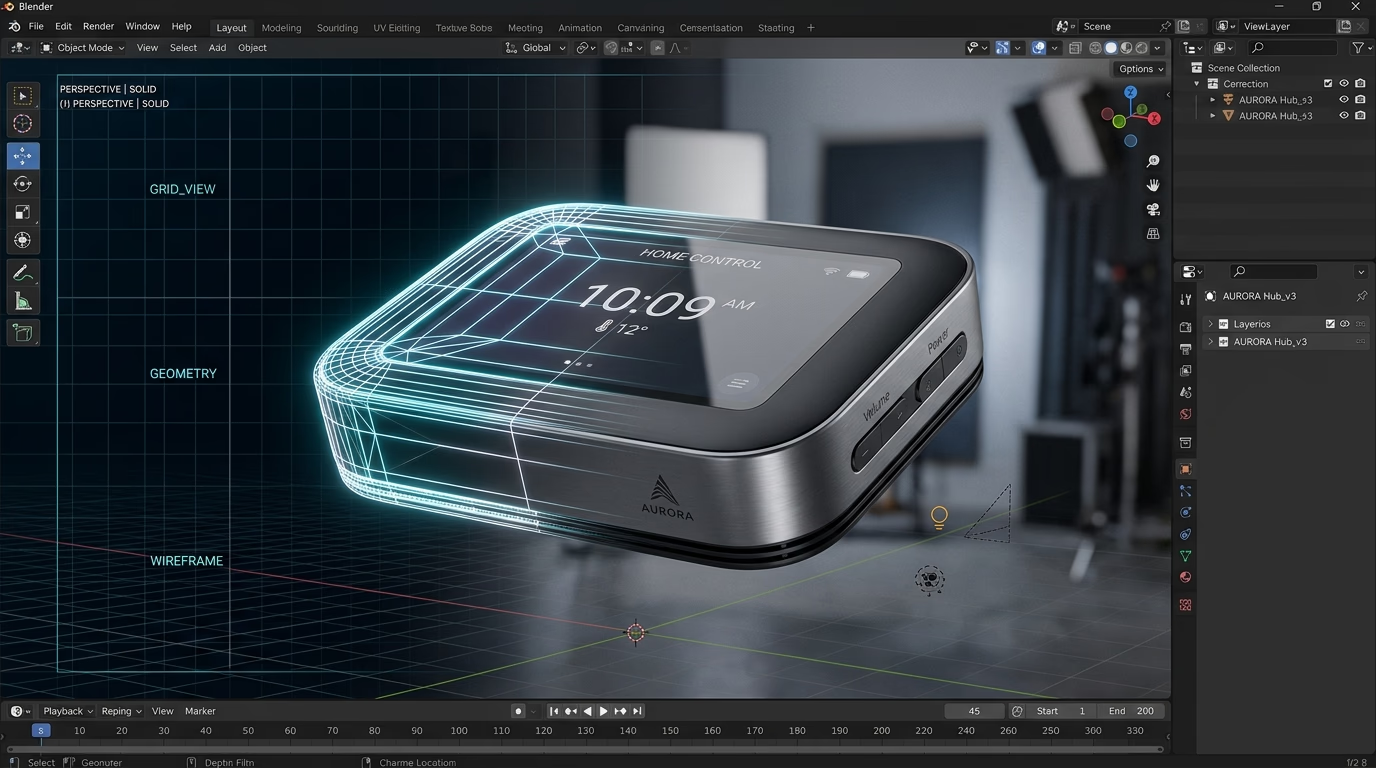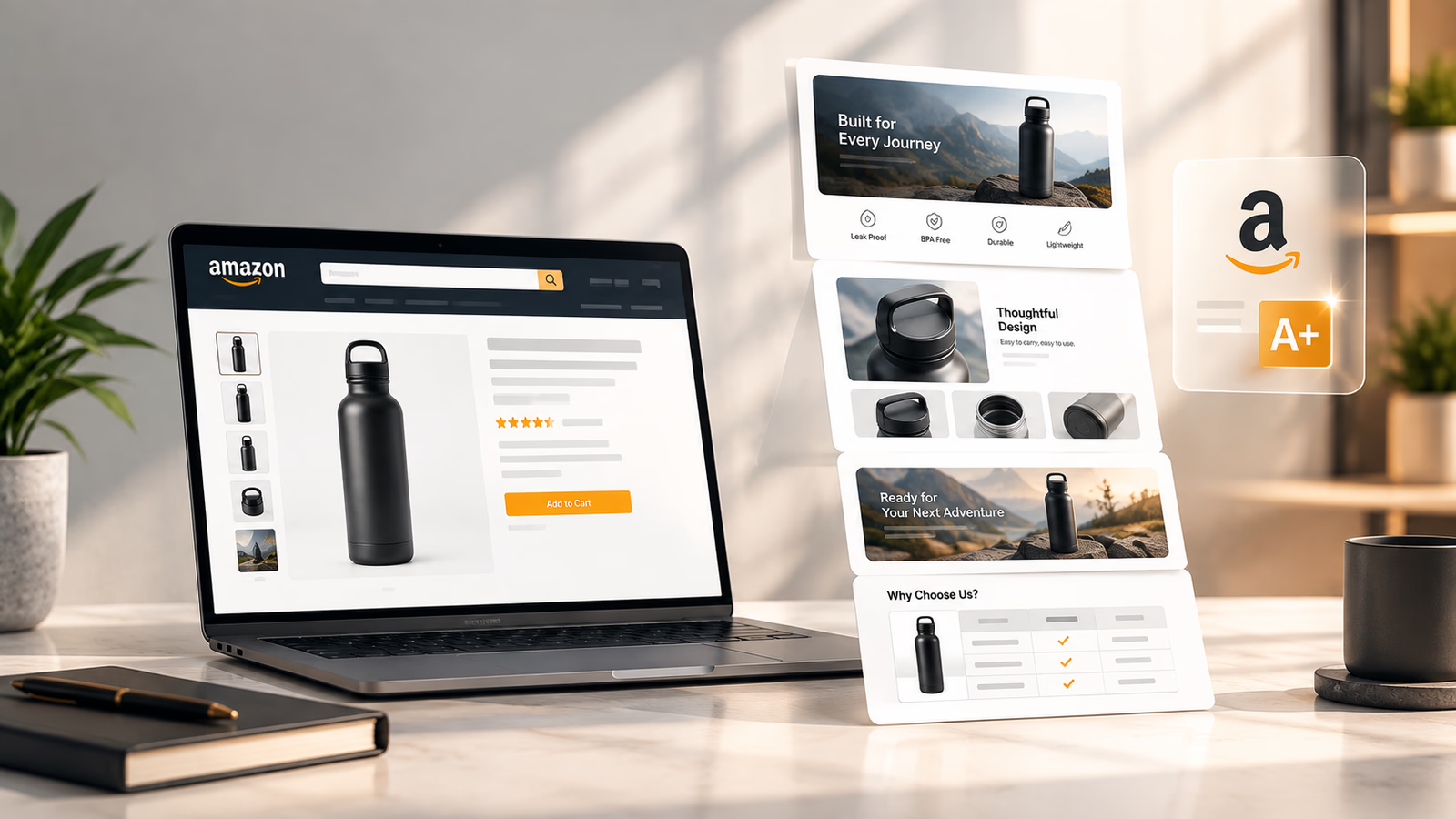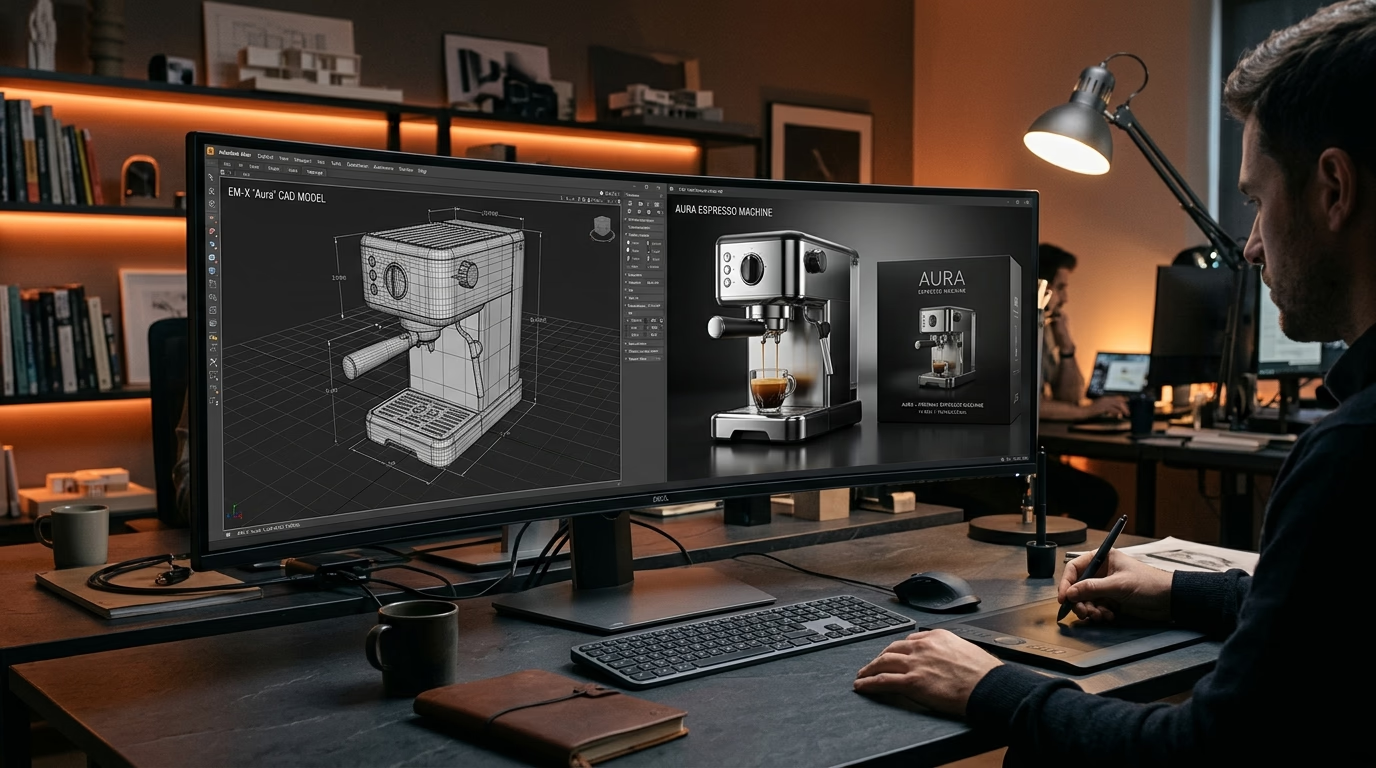

Waiting for a physical production sample to land before shooting your listing images is one of the most expensive bottlenecks in an Amazon launch. By switching to an Amazon 3D product rendering workflow, brands build their entire visual catalog while mass production and ocean freight are still underway—weeks before a single carton checks into an FBA warehouse.
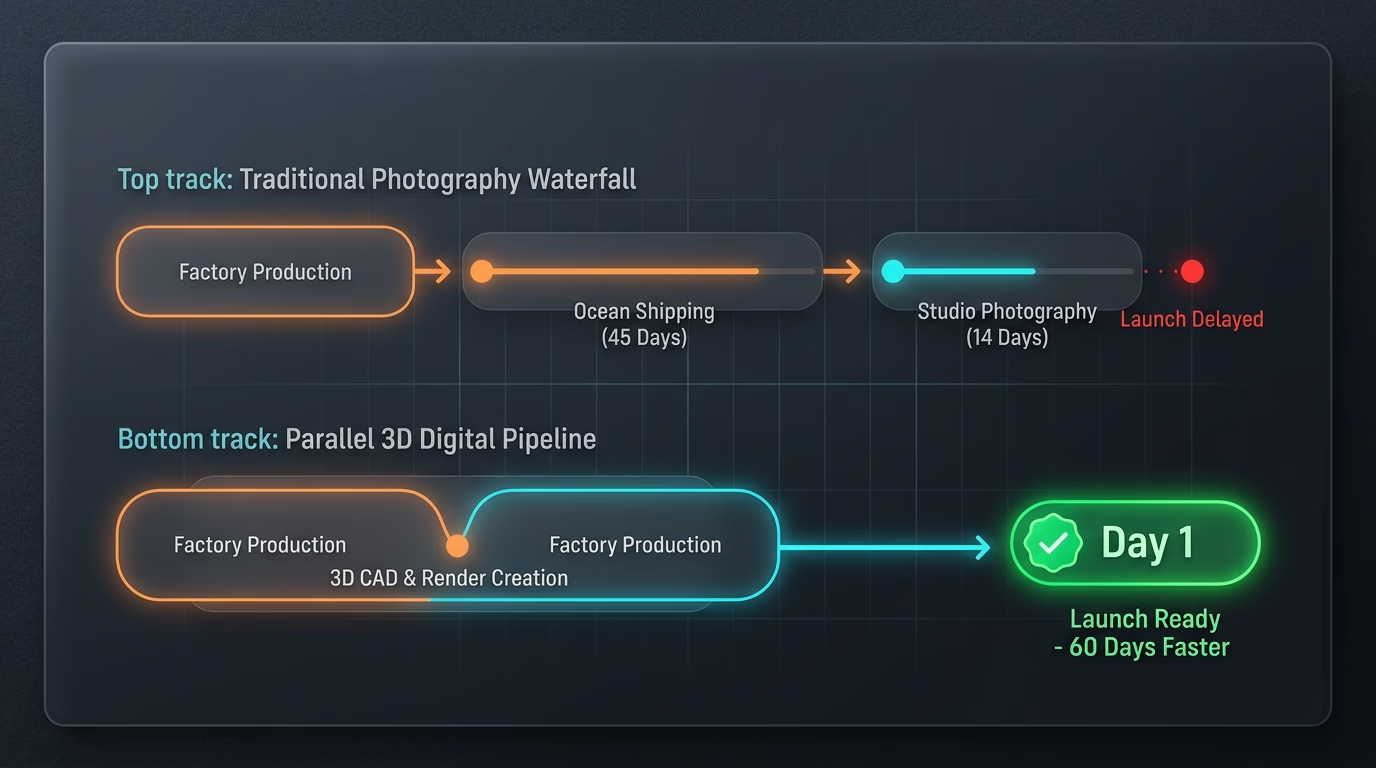
That shifts the launch schedule from a slow, sequential waterfall into an agile, parallel pipeline. Industrial CAD files, manufacturing blueprints, material references, and packaging dielines give a 3D artist enough precision data to build photorealistic visuals before the first production run ever docks at port. By the time inventory checks in at an Amazon fulfillment center, 100% of the creative work can already be uploaded and approved.
The core benefit is not faster manufacturing or faster ocean freight. It is eliminating a separate 3-to-5-week content-production delay from the launch process.
The Traditional Launch Lag: Shipping Bottlenecks vs. Content Creation
Take a typical overseas manufacturing run for a countertop kitchen appliance. Once the factory wraps mass production and palletizes the cargo, the clock starts ticking on international freight. Depending on origin, shipping lane, customs clearance, and port congestion, international freight takes several weeks.
For context, Freightos reports China-to-US sea freight transit times of approximately 14 to 42 days port-to-port, with door-to-door timelines extending from 19 to 47+ days (Freightos Transit-Time Calculator).
In a traditional setup, content production only begins after the shipment lands. That sequential approach creates four compounding studio bottlenecks:
- Sample transit dead-time: Air-freighting a single pre-production sample from an overseas factory to your domestic studio takes 5 to 10 business days and costs \$150–\$300 in express courier fees.
- Studio booking backlogs: Professional commercial photography studios stay booked 1 to 3 weeks in advance. Once the sample arrives, physical unboxing, steaming, ultrasonic cleaning, and rigging physical lighting sets consume valuable billable days.
- The reshoot tax: If a secondary angle reveals a scratched surface or the wrong cable accessory was packed in the sample box, you face an immediate reshoot delay and extra studio rental fees.
- Graphic design latency: Only after raw photography is developed and retouched can graphic designers clip masks, correct color casts, and begin building secondary infographics.
These steps frequently add 3 to 5 weeks of downtime while physical inventory sits idle in transit or on warehouse racking. When weighing flexibility, production effort, and studio costs, see our detailed breakdown of 3D rendering vs. traditional product photography.
The fundamental issue is that content production and product manufacturing are treated as consecutive tasks when they can run in parallel.
Traditional Waterfall vs. 3D Parallel Launch Timeline
Why Launch Timing Matters on Amazon
A delayed listing disrupts far more than a calendar date. Pay-Per-Click (PPC) campaigns, external influencer promotions, off-Amazon social pushes, and warehouse storage fees are closely tied to the arrival of inventory.
In our agency practice managing visual launches for 7- and 8-figure brand catalogs, the cost of this sequential lag is measured in missed ad momentum, not just lost calendar days. When an inventory shipment hits the FBA dock, Amazon's receiving team activates your ASIN. If your images are still sitting in a retoucher's queue, you are forced to launch with bare-bones supplier photos. The result? A cratered Click-Through Rate (CTR) during your highest-volume keyword impressions, signaling to the algorithm that shoppers aren't interested before your paid campaigns even find their footing.
There is also a common Amazon launch misconception worth addressing: the so-called "honeymoon period."
Sellers often refer to the first 30 days of an ASIN's life as a guaranteed ranking boost. Amazon has referenced pre-launch preparation in its seller success materials, highlighting the importance of complete catalogs and early conversion velocity. However, this does not mean every new ASIN receives a secret algorithmic handicap. Amazon has never documented an automatic, guaranteed rank boost.
The practical takeaway is much simpler: launch with a complete, fully optimized listing on Day 1. Delaying creative work until stock arrives forces products to launch with placeholder images, depressing Click-Through Rate (CTR) and Conversion Rate (CVR) during their earliest customer impressions.
Parallel Processing: Creating 3D Assets While Manufacturing Runs
The primary advantage of Amazon 3D product renders is that visual production does not require a physical unit in hand.
Manufacturers generate CAD models, engineering drawings, precise millimeter dimensions, and material specifications long before mass production wraps up. These digital assets provide the exact blueprints a 3D studio needs to build a millimeter-accurate digital twin.
Common Digital Source Materials
- STEP or STP files: The gold standard for physical geometry. Exported directly from SolidWorks, Inventor, or Rhino, these NURBS solids preserve exact millimeter tolerances, curved radii, and parting lines without polygon distortion.
- OBJ / FBX polygon meshes: Useful when your supplier works with visual modeling software. Just confirm they include separate surface material groups so textures can be assigned independently.
- 2D Engineering blueprints: Dimensioned orthographic PDFs give our 3D artists the exact specifications to verify wall thicknesses, button travel depths, and connector ports.
- Pantone swatches and finish callouts: High-gloss piano black reflects light completely differently from a sandblasted matte finish. Providing exact Pantone codes and surface roughness references ensures colors match daylight inspection.
- Vector packaging dielines: Send the flat packaging files before the printer runs them. We can wrap the graphics around a 3D box, bottle, or blister pack in virtual space instantly.
The more complete these references are, the faster a studio can proceed to lighting and composition without guessing dimensions. If you are budgeting asset creation, see our breakdown of Amazon product rendering pricing.
.STEP or .OBJ file from your supplier? Send your CAD file to our engineering team. We’ll run a free geometry, mesh density, and surface tolerance audit within 24 hours so you know whether it's ready for ray-traced rendering.What Assets Can Be Built Before Inventory Arrives?
Once the digital 3D model is approved, designers can assemble the entire visual catalog:
- Main Product Image: Clean hero angles framed to meet Amazon's technical requirements (pure white RGB 255, 255, 255 background, occupying at least 85% of the frame). For exact compliance standards, consult our guide to Amazon main image requirements.
- Secondary Infographic Gallery: Visual breakdowns explaining features, dimensions, technical components, and usage instructions following the best order for Amazon listing images.
- Exploded & Cutaway Views: Highlighting interior engineering, acoustic drivers, multi-layer filters, or ergonomic mechanisms as outlined in our guide to photorealistic 3D rendering for Amazon.
- A+ Content & Brand Story: Rich lifestyle banners, comparative product tables, and modular brand storytelling designed under Amazon A+ content design standards.
A 7-image gallery represents an optimal conversion target. While Amazon's baseline requirement is one compliant main image, customer trust and mobile conversion rates increase dramatically when all image slots are populated with informative visuals.
The Accuracy Requirement: Digital vs. Physical Realities
Working from pre-production digital files requires disciplined quality control.
In our 3D studio, the number-one discrepancy we catch between early factory CAD files and final golden samples isn't the outer product dimensions—it's injection-molding draft angles, silkscreened regulatory icons, and USB-C port bezels. Tooling modifications often happen late in the mold fabrication cycle. If an engineer adjusts a hinge screw or shifts an LED indicator 2 millimeters to improve thermal dissipation, an outdated CAD file will reflect a prototype that doesn't match the customer's physical unboxing experience. We mandate a side-by-side verification checkpoint: cross-referencing virtual renders against high-res factory QC photos of the signed-off golden sample before uploading final assets to Seller Central.
Before approving visual assets for Seller Central, cross-reference renders against final production golden samples. Verify:
- Precise product dimensions, ports, knobs, and seam lines.
- Pantone color accuracy under daylight lighting conditions.
- Included accessories, cords, mounting brackets, and user manuals.
- Regulatory badges, warning text, and barcode placements.
Amazon's policies strictly require product imagery to accurately depict the exact item received by the customer. Misrepresenting accessories or finishes leads to negative customer reviews and elevated return rates.
Pre-Launch Validation: Testing Product Images Before Manufacturing Ends
Digital rendering gives sellers an invaluable commercial advantage: pre-launch visual split testing.
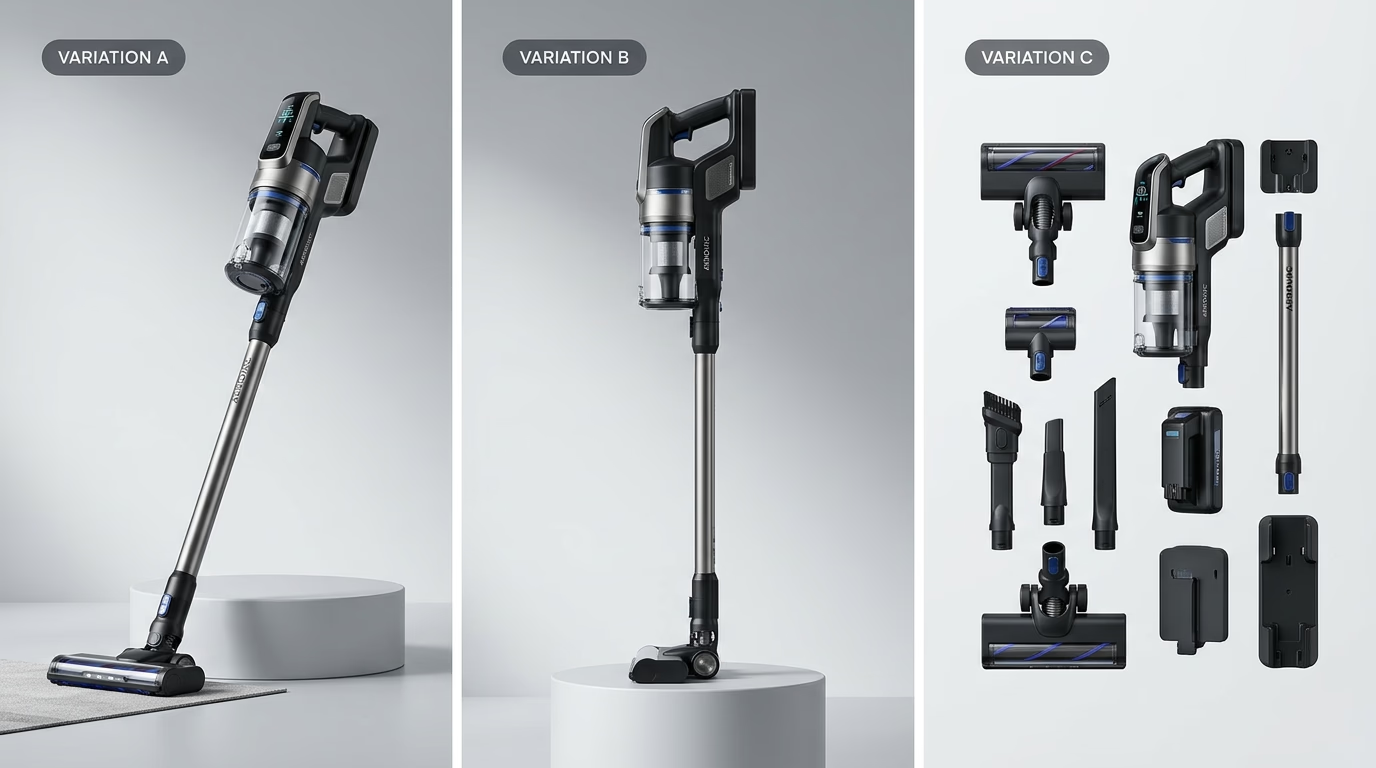
When we engineer launch galleries for competitive hardware—like a 2-in-1 cordless vacuum—we never rely on internal team opinions for the main thumbnail. Because the product already exists as a rigged, textured 3D asset in our rendering pipeline, we can reposition the virtual camera and render three distinct hero compositions in a single afternoon:
- Variation A (Dynamic Hero Angle): A front three-quarter action stance emphasizing the ergonomic trigger handle and motorized floor brush.
- Variation B (Profile & Capacity View): A clean side elevation highlighting the transparent dustbin capacity and telescoping extension reach.
- Variation C (Knolled Laydown): A structured, overhead layout showcasing every included nozzle, crevice tool, and battery dock.
Instead of paying a commercial studio to physically construct and re-light three separate photo sets, we push all three digital renders directly into pre-launch consumer polling panels before the container vessel even departs the shipping port.
Gathering Directional Data via PickFu
Audience polling platforms such as PickFu allow sellers to display 3D rendered concepts alongside top Amazon search competitor thumbnails, gathering real-time feedback from hundreds of target shoppers.
This testing reveals:
- Which hero angle earns the highest click preference against incumbent competitors.
- Whether product callouts and badge typography are legible at mobile thumbnail resolution.
- Which color variation or packaging concept appears most premium.
- Whether shoppers find a particular attachment or feature visually ambiguous.
While panel testing provides directional data rather than live in-market CTR, it eliminates obvious creative errors before launch. Once the ASIN goes live with active traffic, sellers can run Amazon's native Manage Your Experiments (MYE) tool to validate performance with live customer transactions.
Step-by-Step Pre-Launch 3D Asset Creation Roadmap
A structured 3-week production sprint fits comfortably inside a standard 30-to-60 day manufacturing window:
Listing Conversion Funnel Pipeline
Week 1: Model Preparation & PBR Material Assignment
- Import and review engineering
.STEPor.OBJfiles. - Clean polygonal geometry, smooth seams, and eliminate mesh artifacts.
- Assign Physically Based Rendering (PBR) shaders (specular roughness, metallic reflections, subsurface scattering).
- Review digital clay model and material swatches with product engineering for dimension sign-off.
Week 2: Lighting, Angles & 7-Slide Image Gallery
- Establish virtual three-point studio lighting and camera focal lengths (50mm–85mm lens equivalents to prevent fisheye distortion).
- Render primary hero angles and high-resolution white-background cutouts.
- Composite secondary infographics: dimension graphics, feature callouts, and lifestyle scenes.
- Ensure visual consistency across colorways and variation ASINs.
Week 3: A+ Content, Brand Story & Seller Central Preparation
- Adapt approved 3D renders into modular A+ Content banners, technical spec tables, and Brand Story carousels.
- Prepare image metadata, alt tags, and mobile-optimized copy blocks.
- Upload image stacks into Seller Central inventory drafts.
Ready to Parallel-Process Your Amazon Visuals?
Book Your 3D Launch ConsultationFrequently Asked Questions
How do 3D product renders speed up Amazon product launches?
They allow creative production to run in parallel with overseas manufacturing and freight shipping. Artists build product images, infographics, and A+ Content directly from digital CAD files, eliminating the 3-to-5-week delay associated with physical sample delivery and studio photography shoots.
Can I create an Amazon listing before inventory arrives at FBA?
Yes. Sellers can draft the ASIN product detail page, upload approved images, write bullet points, and submit A+ Content in Seller Central prior to shipping. The offer simply remains in "Inactive (Out of Stock)" status until the fulfillment center scans and checks in inventory.
What files does a 3D artist need to start rendering?
The ideal asset pack includes industrial CAD files (.STEP, .STP, .IGES, or .OBJ), 2D dimensioned engineering blueprints, Pantone color references, packaging dielines (.AI or vector .PDF), and high-resolution photos of physical material swatches. If CAD files are unavailable, detailed caliper measurements and reference photos can be used for manual polygonal modeling.
Prepare Your Amazon Listing Before Shipment Arrives
A successful Amazon product launch requires coordinated execution across inventory, advertising, and creative design. Product visual creation should never sit idle while cargo crosses the ocean.
By building listing assets from verified digital files during production, brands eliminate launch downtime and enter the marketplace retail-ready on Day 1.
For brands looking to streamline visual asset creation, our specialized Amazon 3D product rendering services integrate CAD modeling, conversion-engineered infographic galleries, and Premium A+ Content into a unified launch strategy.